Nov 27, 2026 · 8 min
Who builds your software? In-house team, outsourcing or staff augmentation
Each model solves something different. Most companies end up combining two.
Services
AI Solutions DevelopmentCustom AI TrainingsAI Workspace SetupIndustries
ManufacturingEcommerceHR AgenciesForeign TradeAccounting FirmsMarketing AgenciesInsuranceHealth ServicesLegal & NotaryReal EstateFinancial ServicesLogisticsDrawing how work is really done often reveals things nobody had written down.
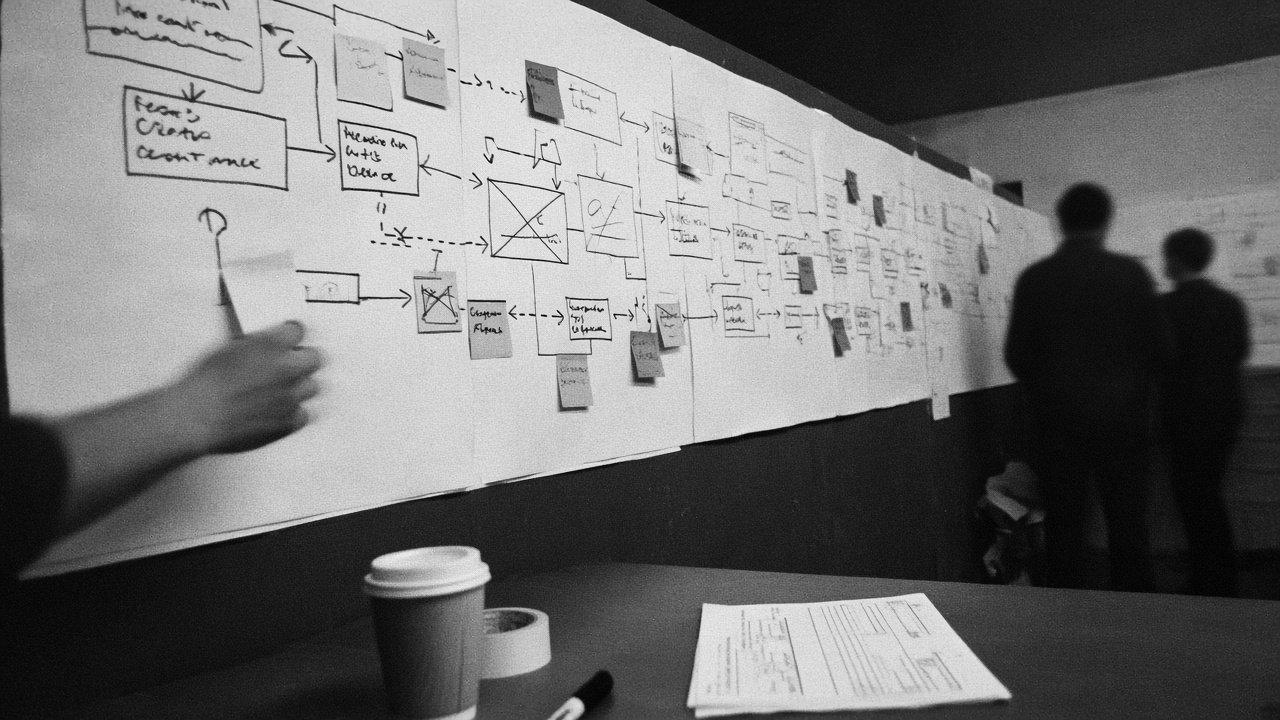
Before digitalizing a process, automating it or changing the system that supports it, it helps to be clear on how it runs today. Process mapping is that snapshot: a step-by-step drawing of who does what, with which documents and systems, where the waits are and which exceptions show up. It is done one process at a time, with the people who go through it every day, and it often reveals things nobody had written down: double entry, approvals over chat, parallel spreadsheets. With that map, decisions about what to improve stop resting on assumptions.
It means representing a process, from the moment something is requested until it is closed, with its steps, owners, documents, systems, times and exceptions. It can be a drawing on sheets taped to a wall, a diagram in a diagramming tool or a table. What matters is that the people involved recognize it as true.
It is useful for:
Two terms appear in almost any mapping guide:
The order matters. The as-is is done first and with the people who carry out the work. The to-be comes out of that map: steps that add nothing are removed, approvals are put in order and it is decided what gets digitalized or automated. Designing a to-be without having mapped the as-is is the fastest way to build something that does not fit the operation.
The perception of how an operation works and what happens in practice can be quite far apart. The Annual Operational Excellence Report from the Engineering Faculty of Universidad Austral, cited by Infobae in March 2026, found that 51.6% of the surveyed companies say they have an operational excellence program at a high or very high level of development, while only 4.84% are at a level of operational or digital maturity. The report itself speaks of an overestimation of capabilities.
A mapping built on real cases and several voices is a concrete way to narrow that gap.
A generic example, to show what the difference between as-is and to-be looks like in an order process:
| Stage | As-is | To-be |
|---|---|---|
| Intake | The order arrives by email or chat and someone retypes it into the system | The order is entered once, through a form or portal connected to the system |
| Validation | Stock is checked by messaging the warehouse | Stock is visible in real time, inside the same flow |
| Approval | Approval is requested over chat and the reply is awaited | A flow with defined statuses and approvers, with automatic notices |
| Preparation | The warehouse writes it on a whiteboard | A status visible to the team and to the customer |
| Invoicing | Built by hand with data from two systems | Generated from the data already entered |
The to-be comes out of what the as-is showed: each row in the right column answers a specific problem in the left column.
For almost every mapping a simple diagram is enough, with boxes, arrows and a margin note for exceptions. When the map has to circulate between business areas and technical teams, a standard notation exists: BPMN, which is the international standard ISO/IEC 19510 (2013 edition, confirmed in 2022). Its stated goal is to offer a notation that is understandable both to those who analyze the business and to those who implement the technology. Using it is an option, and what matters most remains that the map reflects how work is really done.
AI can help with several parts of the mapping work:
The draft is always validated by the team that does the work. AI speeds up building the map, and the people who know the process confirm that it describes what happens.
A good as-is map opens up the rest of the path:
In Ambolt projects, the starting point is sitting down with the team and talking to several key people in the process, a way of working similar to that of the forward deployed engineer: understanding the operation from the inside before building.
Process mapping is the step that gives meaning to all the others: what gets simplified, what gets digitalized, what gets automated and the decision about the core system. It works best one process at a time, with the people who do it every day and following real cases. The result is a simple drawing of how work is done today, and the starting point for deciding how it should run tomorrow, with the operation understood before touching any system.
It means representing a process step by step, with its owners, documents, systems, times and exceptions, to understand how it is done and where it can be improved.
As-is is the process as it is done today, with its detours and exceptions. To-be is the process as it should run after being improved. The as-is is mapped first and the to-be comes out of it.
A process and its limits are chosen, the people who do it are interviewed, real cases are followed, the as-is is drawn, pain points are marked, the map is validated with the team, the to-be is designed and the starting point is measured.
The people who carry out the process every day, those who receive its result and whoever is accountable for the area. It also helps to include the systems team, which knows how the systems connect to the process.
It depends on the complexity of the process and the number of people involved. A contained process can be surveyed in a few days of conversations and review. It is best to map one process at a time and not the whole company at once.
Paper and sheets taped to a wall are enough, as is a diagramming tool. For maps that circulate between business areas and technical teams, the standard BPMN notation exists.
It is a standard notation for representing business processes, defined by the international standard ISO/IEC 19510. It lets business analysts and technical teams read the same diagram.
Yes, in parts: to transcribe and summarize conversations, organize notes, propose a first draft of the diagram and detect patterns in emails or records. The draft is always validated by the team that does the work.
About Ambolt. Ambolt builds modern, simple software tailored to each company's operations, with AI where it helps, so business leaders can shape and launch their ideas with autonomy.
 Ramiro MoyanoPartner at Ambolt StudioPublished
We specialize in finding areas to optimize your company's operations, making them leaner, faster and more productive.
Talk to us →